
Remote Deposit Capture
Deposit checks electronically! Save time and money!
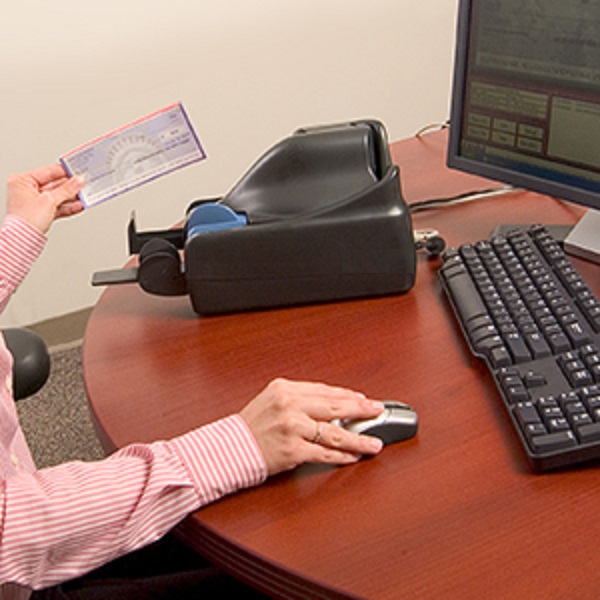
Check deposits can also be made from multiple locations!
Deposit checks electronically right from your desktop instead of making trips to your local branch. All you need is a desktop scanner connected to your PC and the Internet.
- Scan checks from any desktop
- Scan both sides of your check in a single pass
- Prepare deposits
- View images of the scanned checks right from your PC — The dollar amounts for the checks are automatically read and the deposit is totaled
- Electronically send deposit to us
- Click and submit deposit — Deposit is sent through a secure Internet connection
- Funds are deposited into your account
- Access funds sooner than traditional deposits
- Local branch will provide the scanner and training
Remote Deposit Capture FAQ
Using a check scanner, you simply scan an image of both sides of the check. This image then becomes the legal equivalent of the original check, and the image is submitted to us through a secure electronic server. We treat this image as the legal equivalent and begins processing the check immediately.
Each scanner will have minimum system requirements and will vary with each scanner. Each scanner will come with a driver that will need to be loaded along with a USB connection.
Individuals already in charge of manually preparing and delivering deposits are typically the main users of this automated process. A video tutorial is available for your staff.
The cut-off time for same-day credit is 5 pm.
Generally, original checks should be stored for at least 45 days before destroying. Refer to your account agreement for details.
Returned checks will be handled as usual with a substitute check being returned in place of the original check.
Yes. Deposits can be made to any number of accounts without additional charges.
U.S. dollar checks drawn on U.S. financial institutions with valid routing and transit numbers are accepted, including personal checks and business checks. We cannot accept third-party checks, foreign checks, or money orders.
As an integral part of your online account access, the same security that protects other transactions also ensures that your Remote Deposit Capture information remains confidential:
- We use SSL Technology to transmit and receive information across the Internet. This technology encrypts (scrambles) information so it is virtually impossible for anyone to read it
- If you forget to logout or are inactive for more than 15 minutes, your session will automatically be closed
- We maintain numerous additional physical, electronic, and procedural safeguards to help prevent unauthorized access to your information
- We continually update and test our technology to improve these protections and to ensure the integrity of your information
In addition, users access rights, depository restrictions, and review criteria levels are created within the administrative controls.